
Bristol Flight Lab
AVDASI2 avionics teaching resources: the Cube guide, an example ground station and the docs site the Flight Lab still runs.
The summer
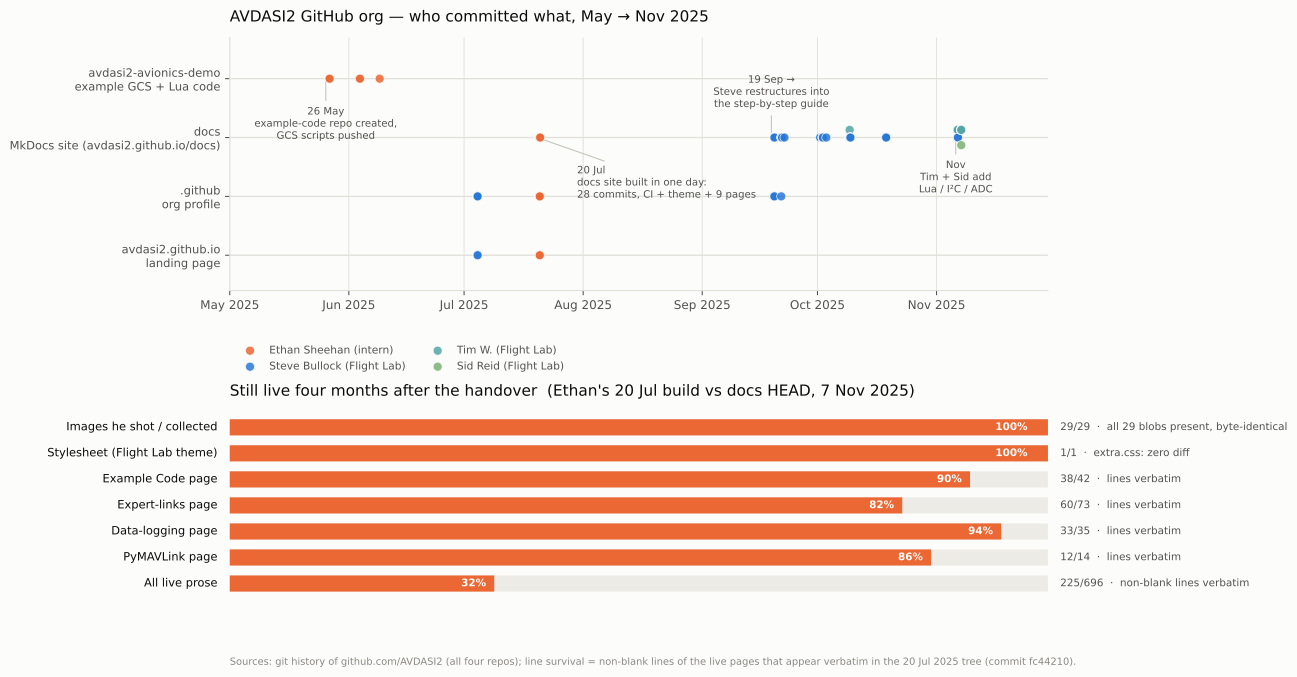
Summer 2025 at the Bristol Flight Lab, supervised by Steve Bullock. The job was the avionics teaching resources for AVDASI2, the Year-2 design, build and test unit I had just taken myself. Students are handed a Cube Orange+ running ArduPilot, an ESP8266 Wi-Fi telemetry module, a Taranis radio, servos and the in-house 12-channel pressure system, and have to replace Mission Planner with a ground station of their own. My plan from 12 May: a Cube configuration guide, a minimum-viable example ground station and a flat-board demonstration, with mechanical demonstrators and a servo-calibration tool as stretch goals.
One sitting
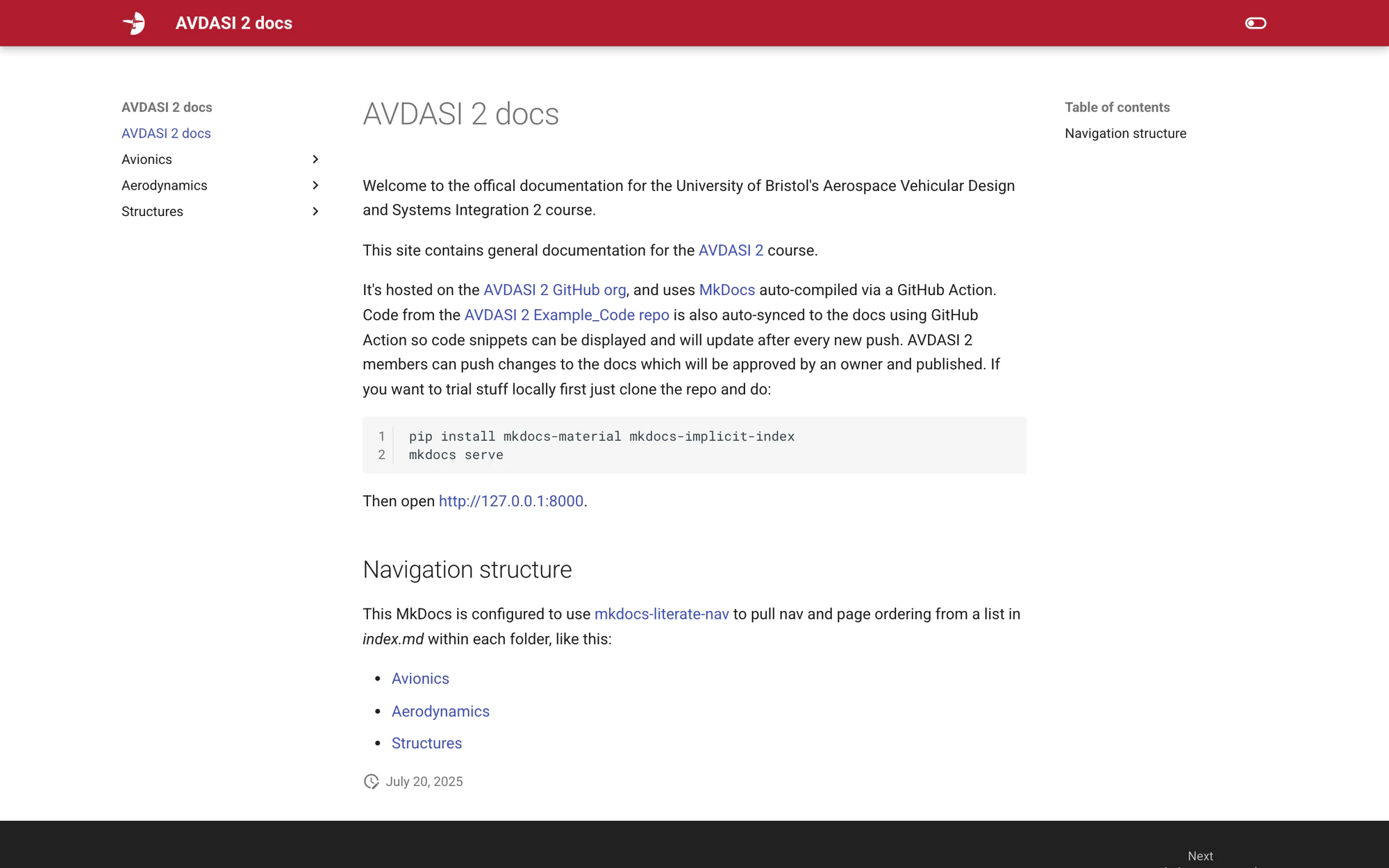
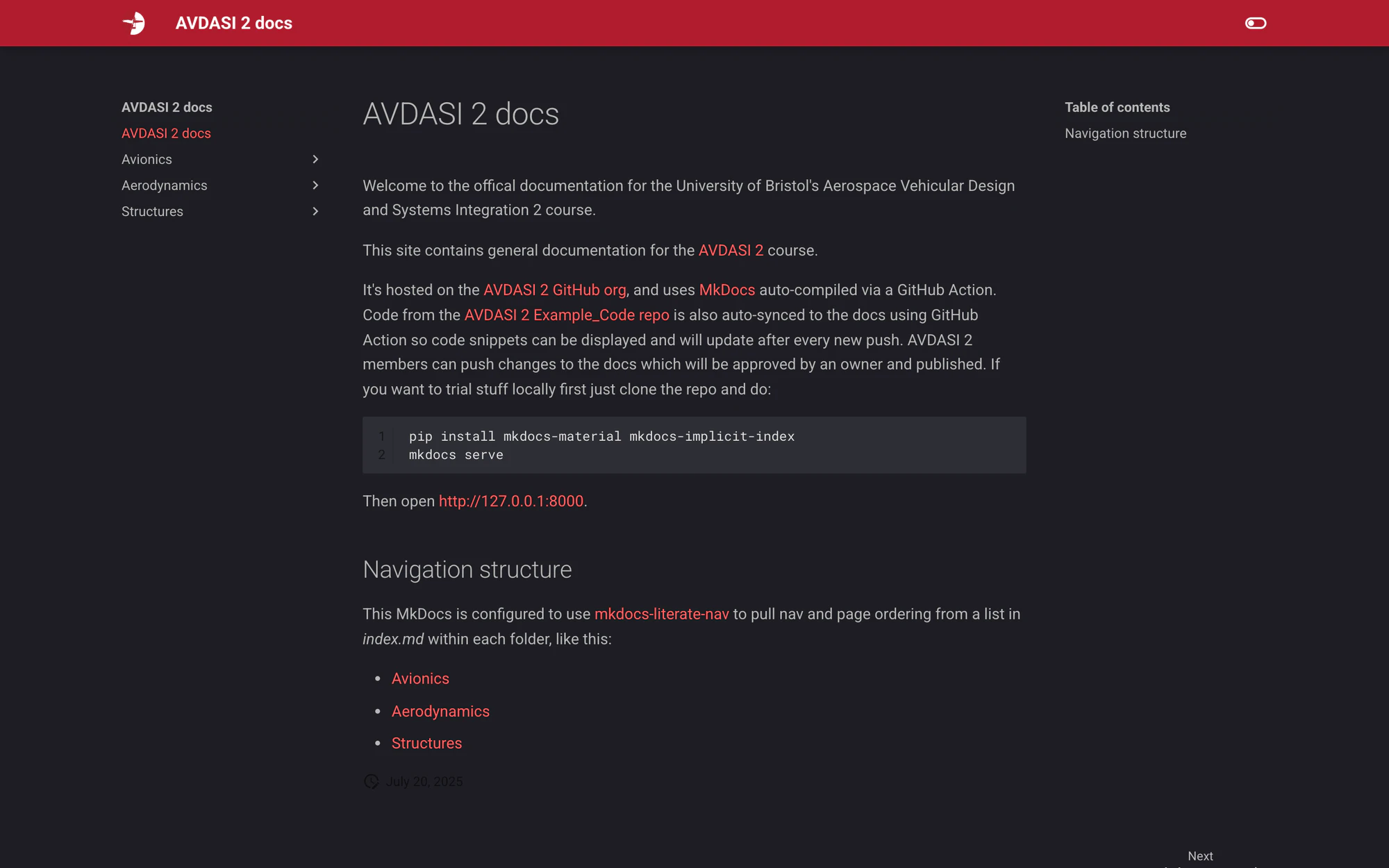
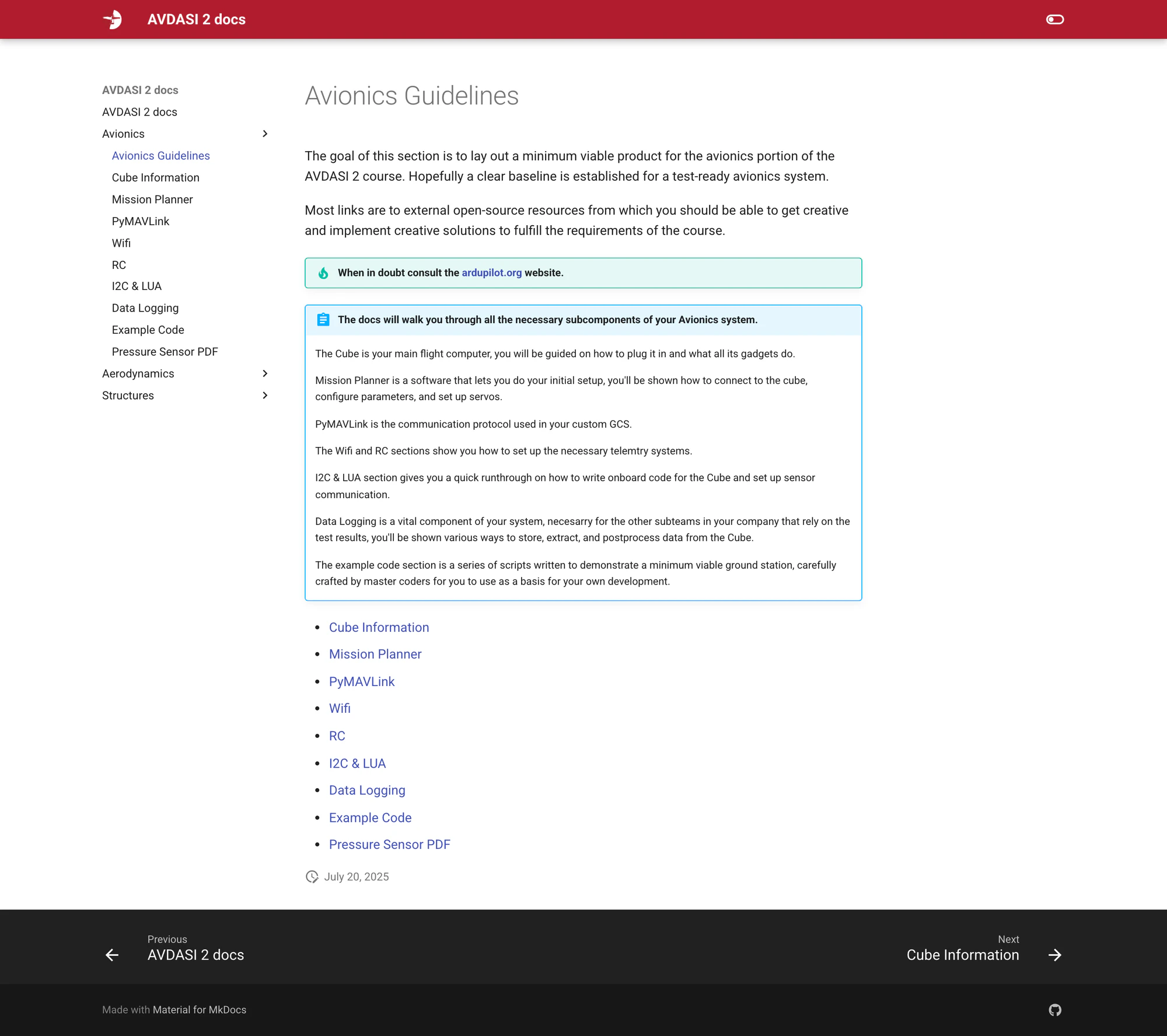
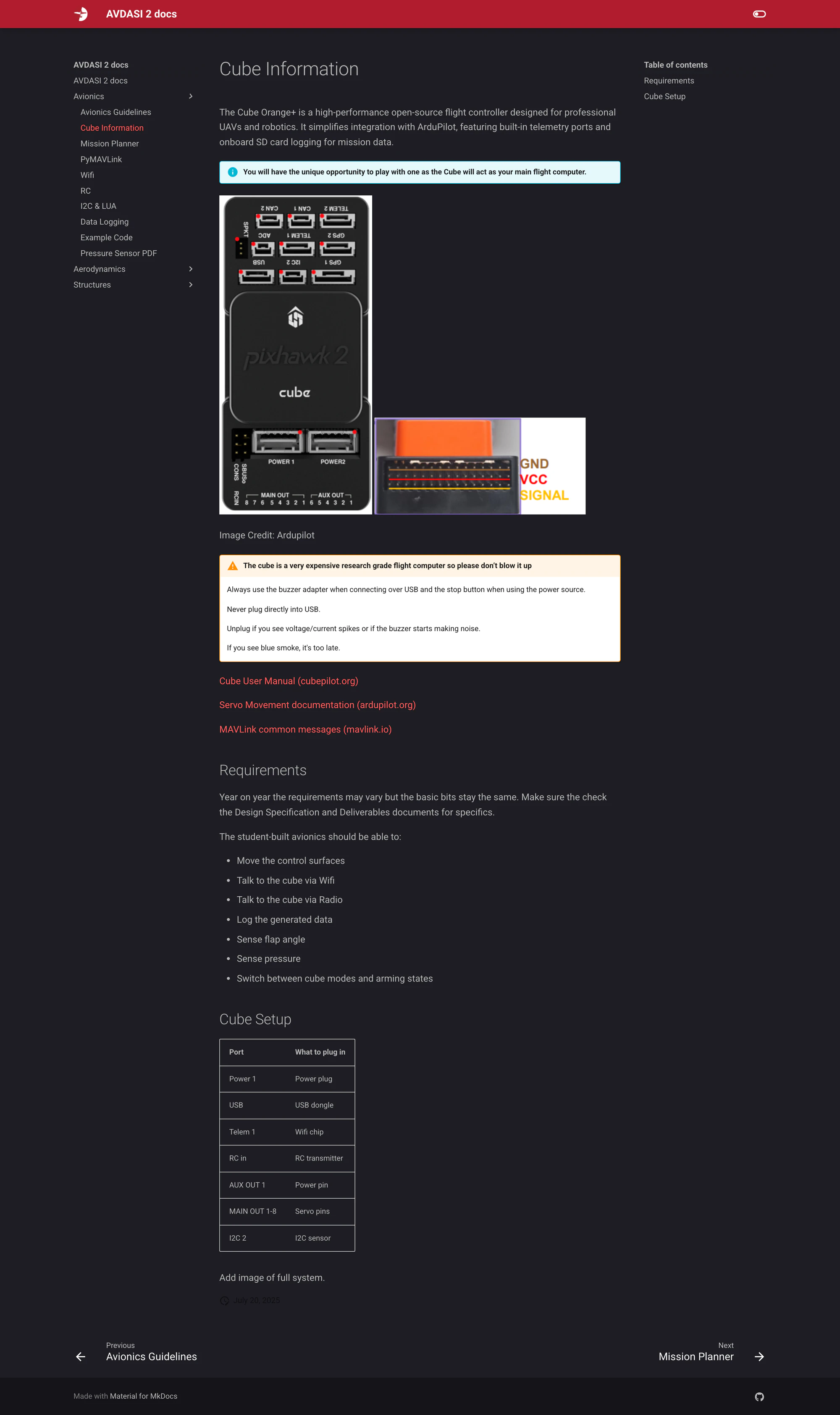
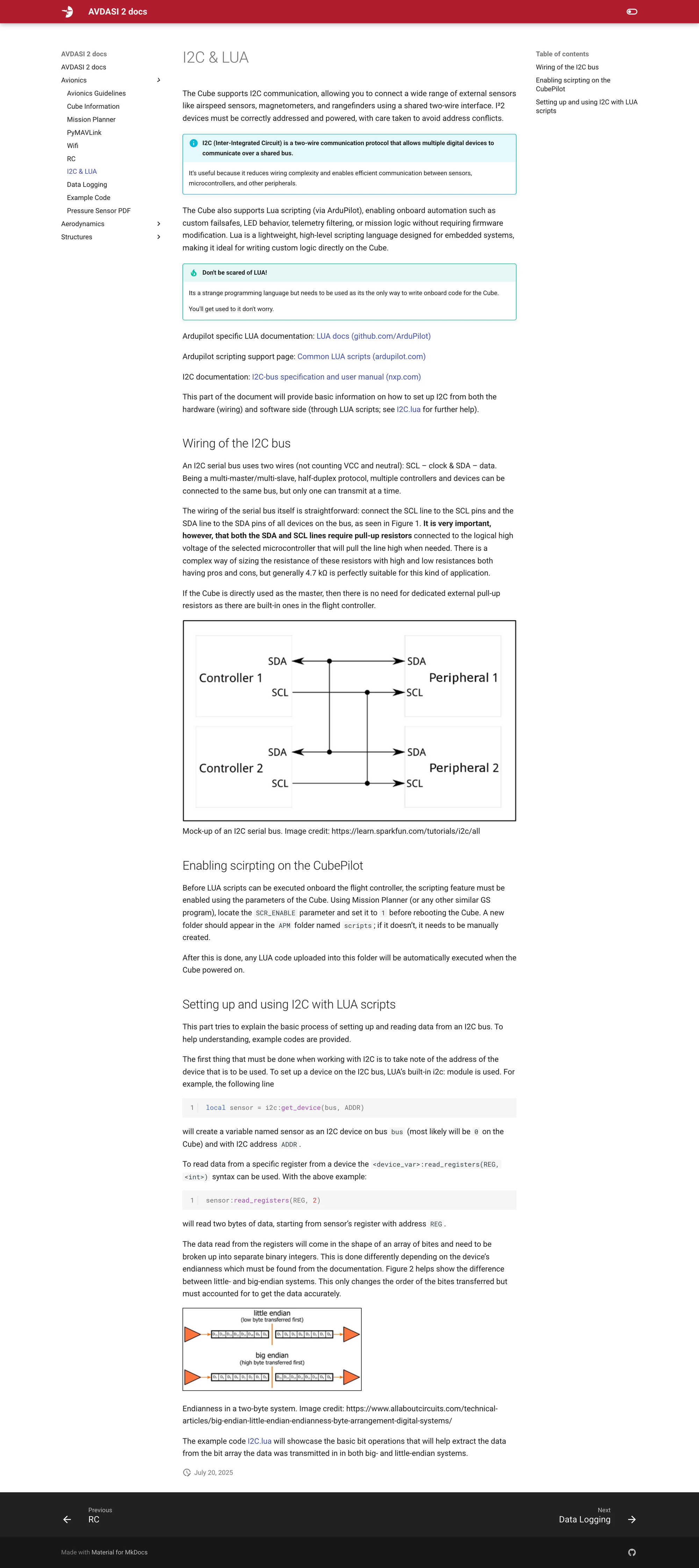
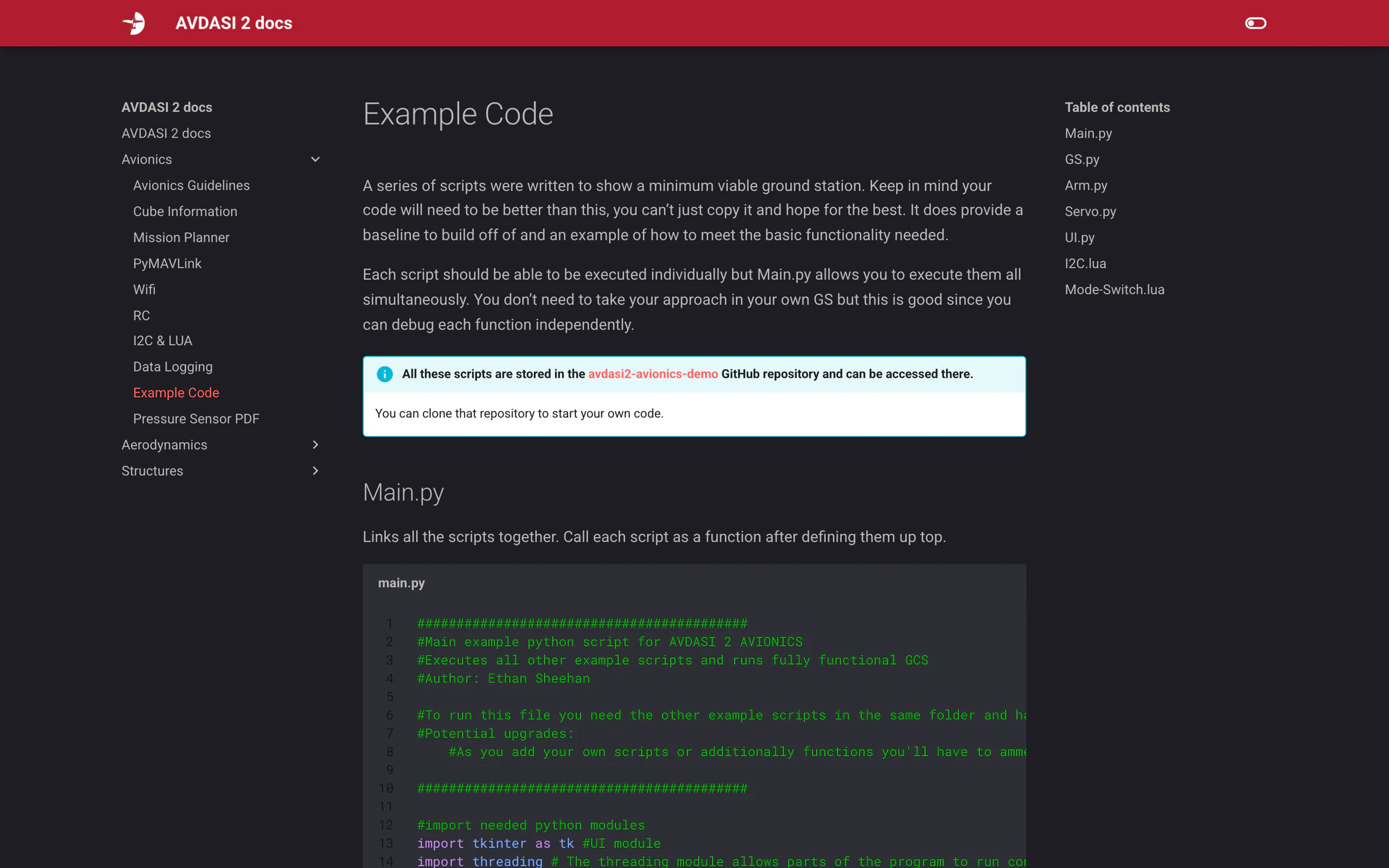
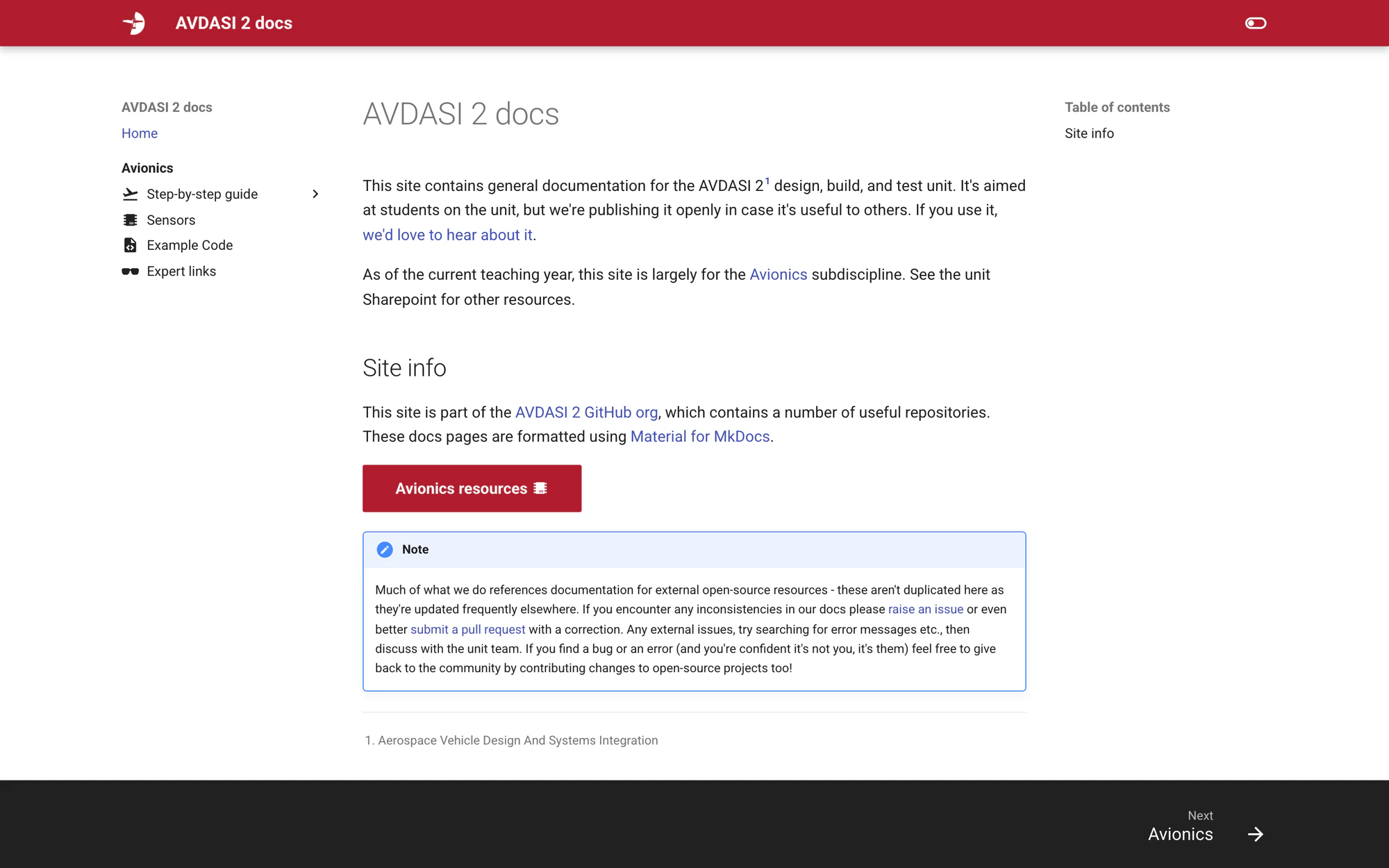
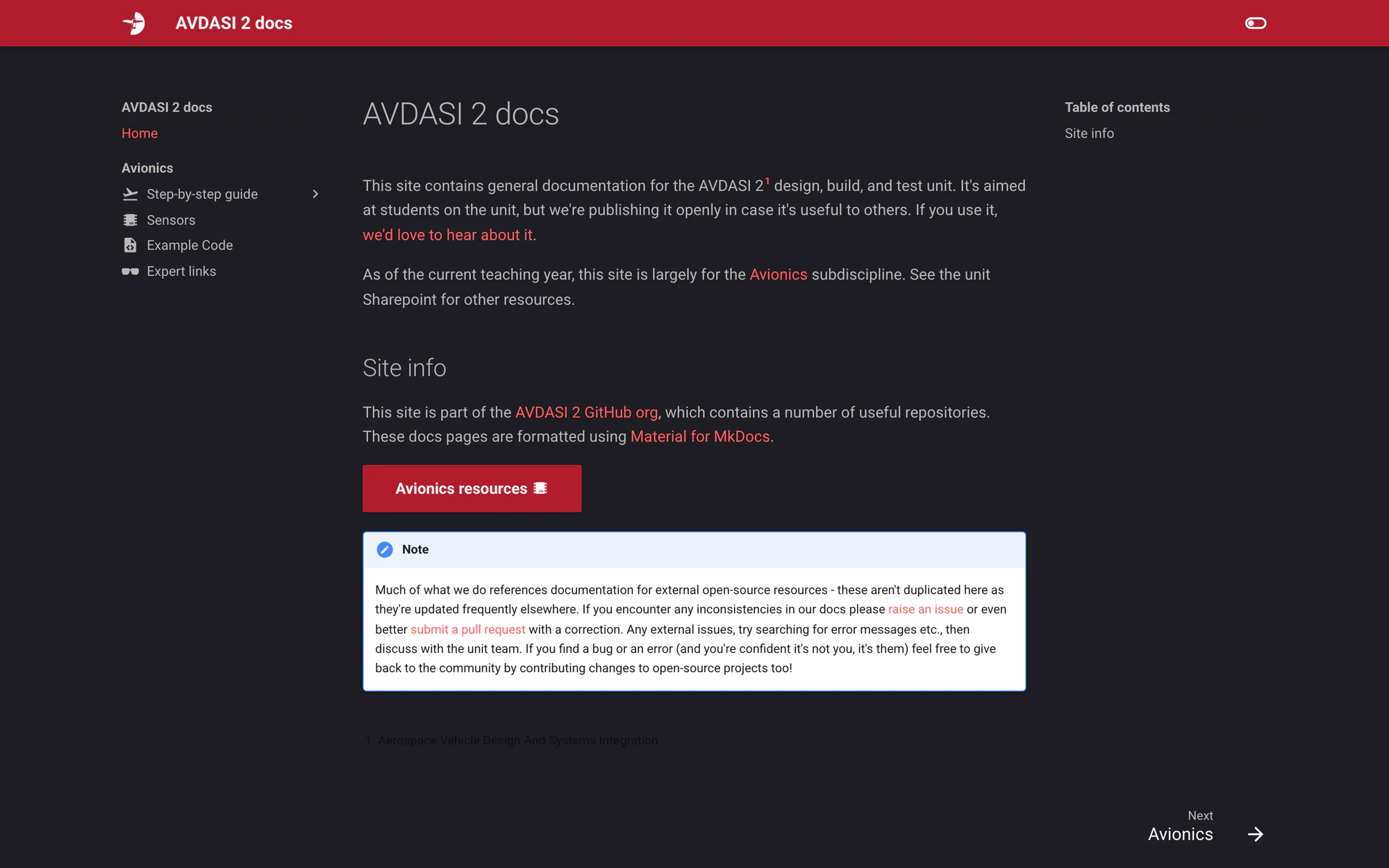
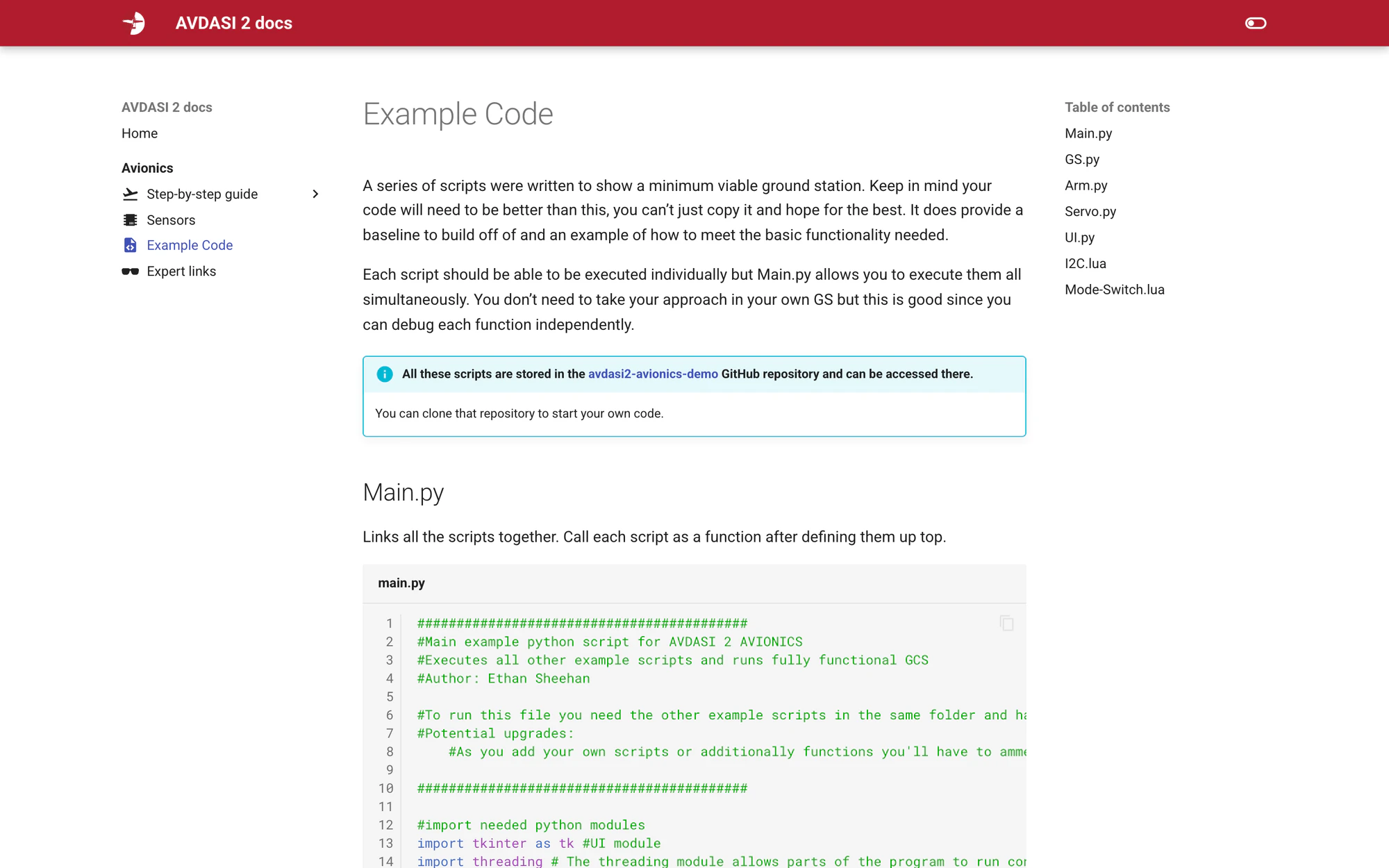
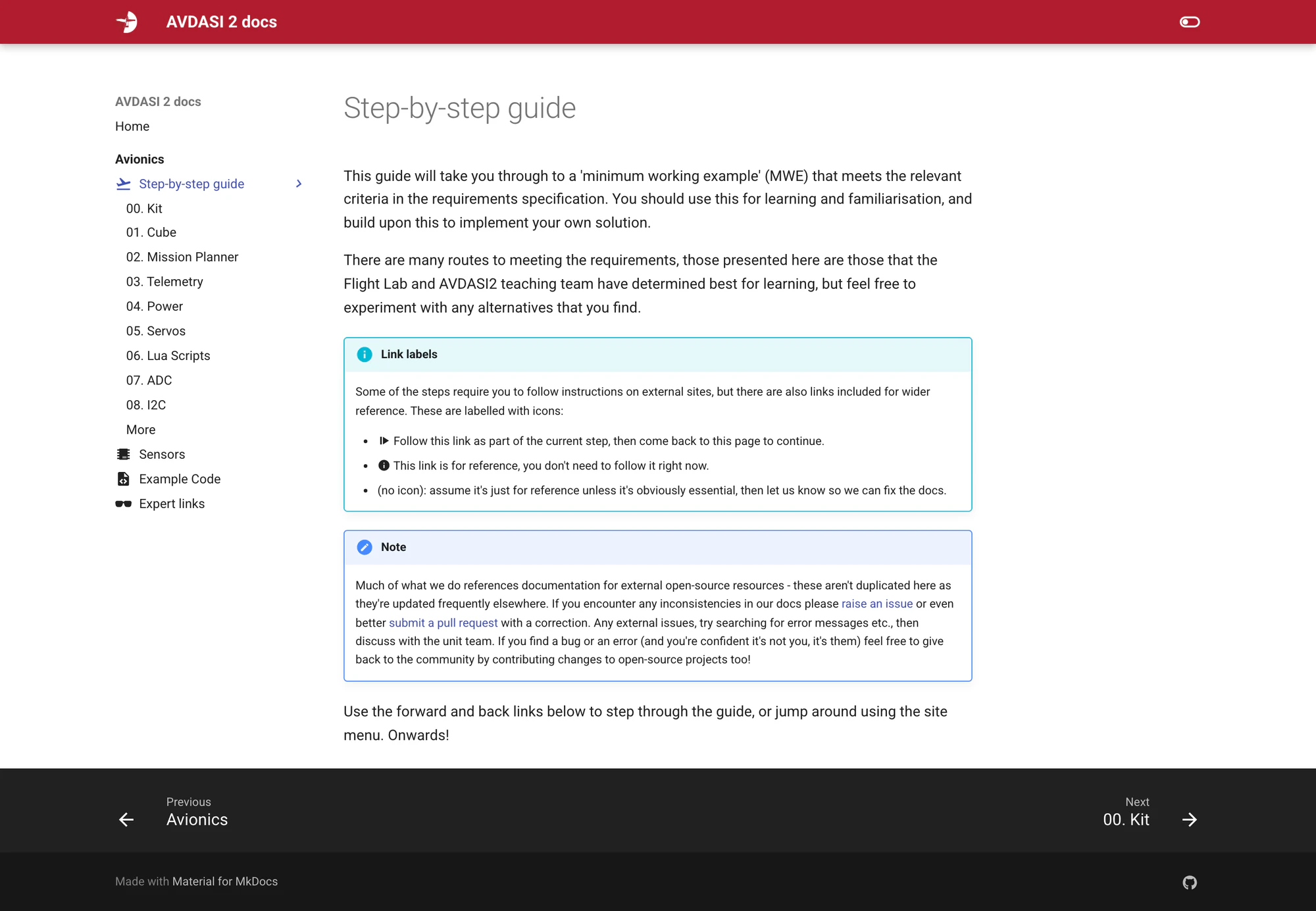
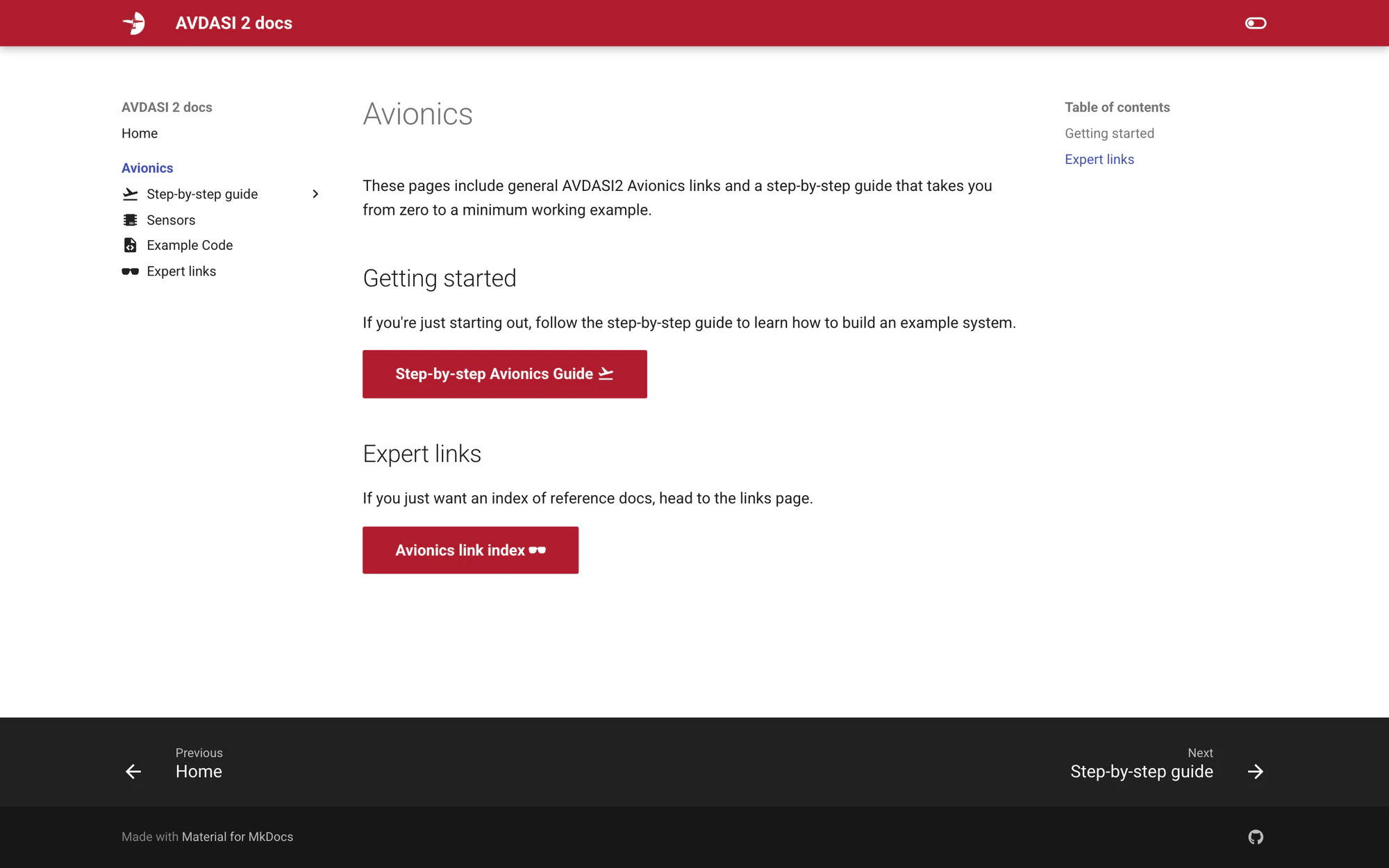
The guide started as a Word document in May. On 20 July it became an MkDocs Material site in one sitting: 28 commits between 15:26 and 20:36, nine avionics pages of around 470 lines of Markdown, 20 screenshots, a Flight Lab red theme with a hand-written dark scheme. The part I am most pleased with is the CI workflow. On every push it clones the example-code repo into the docs, so the code pages are always the live source and a student cloning avdasi2-avionics-demo gets exactly what the guide shows. The tone is that of someone who had just done the unit: "If you see blue smoke, it's too late."
The Mission Planner guide
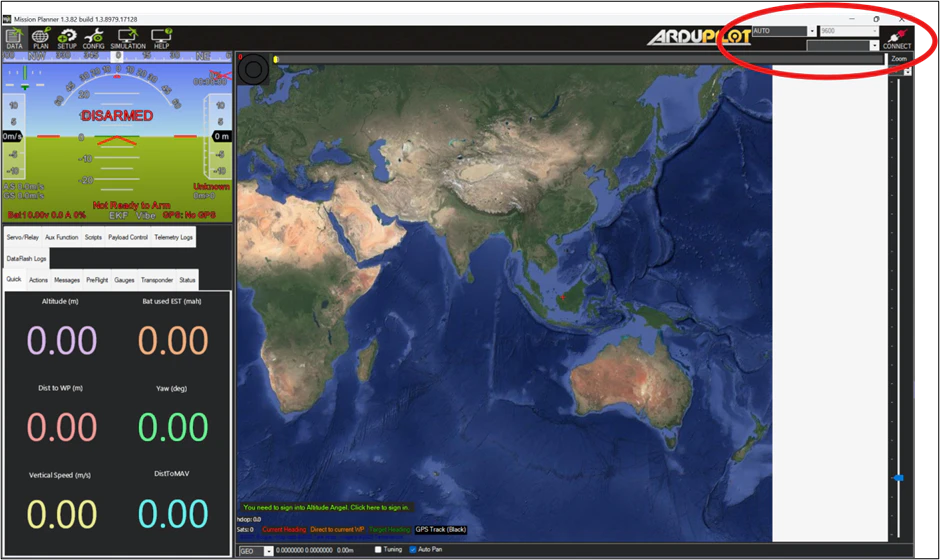
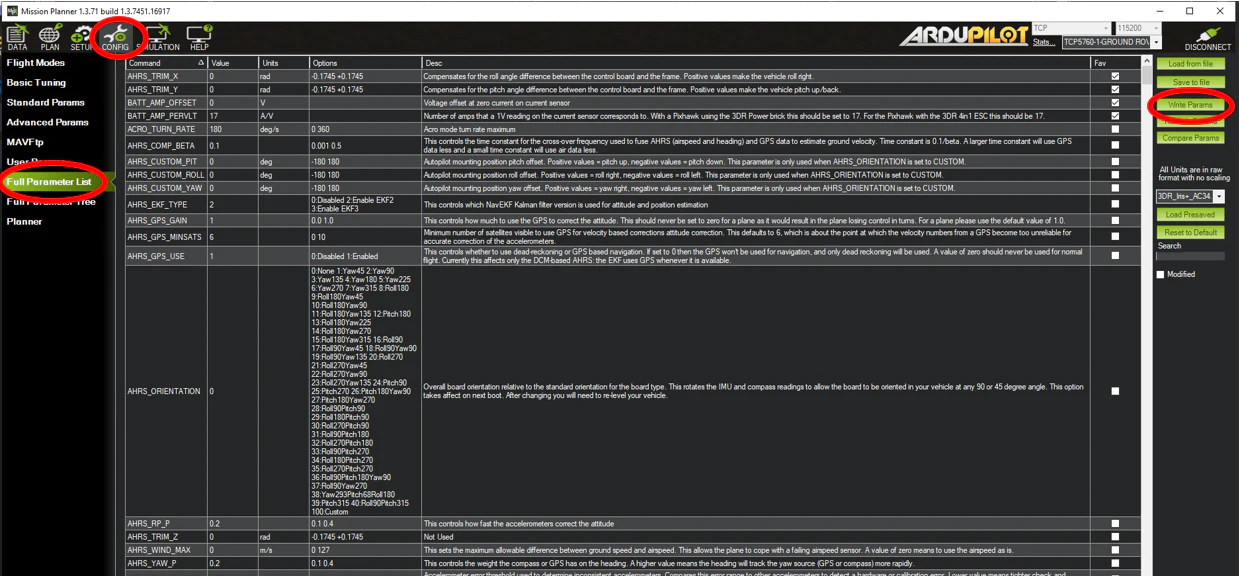
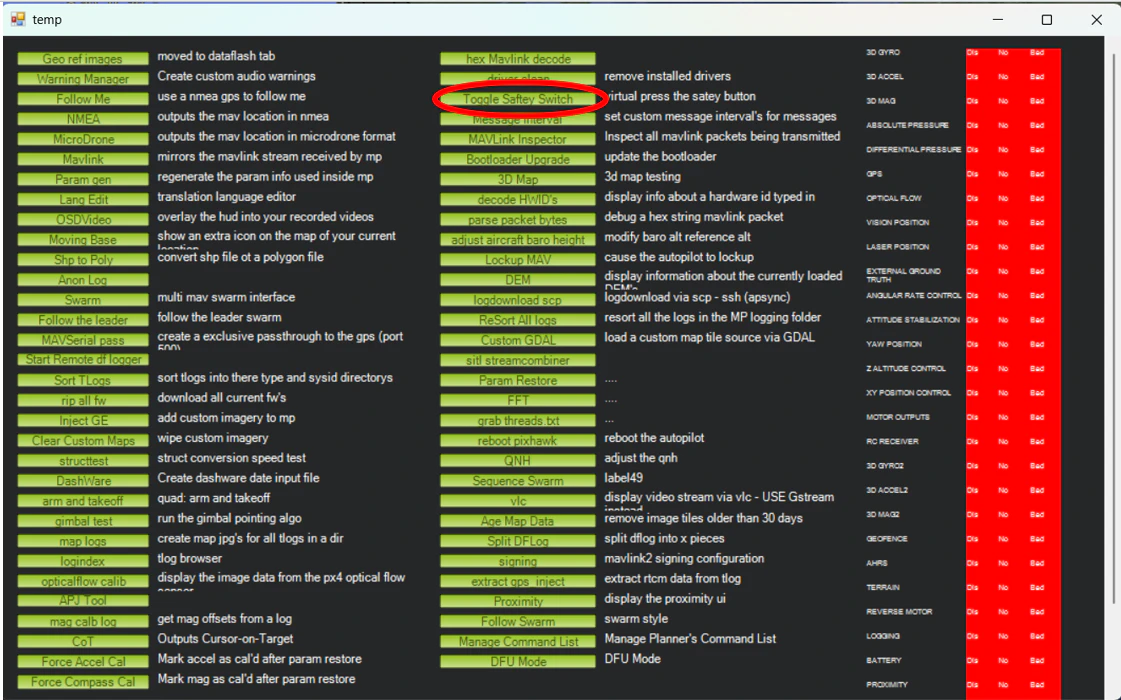
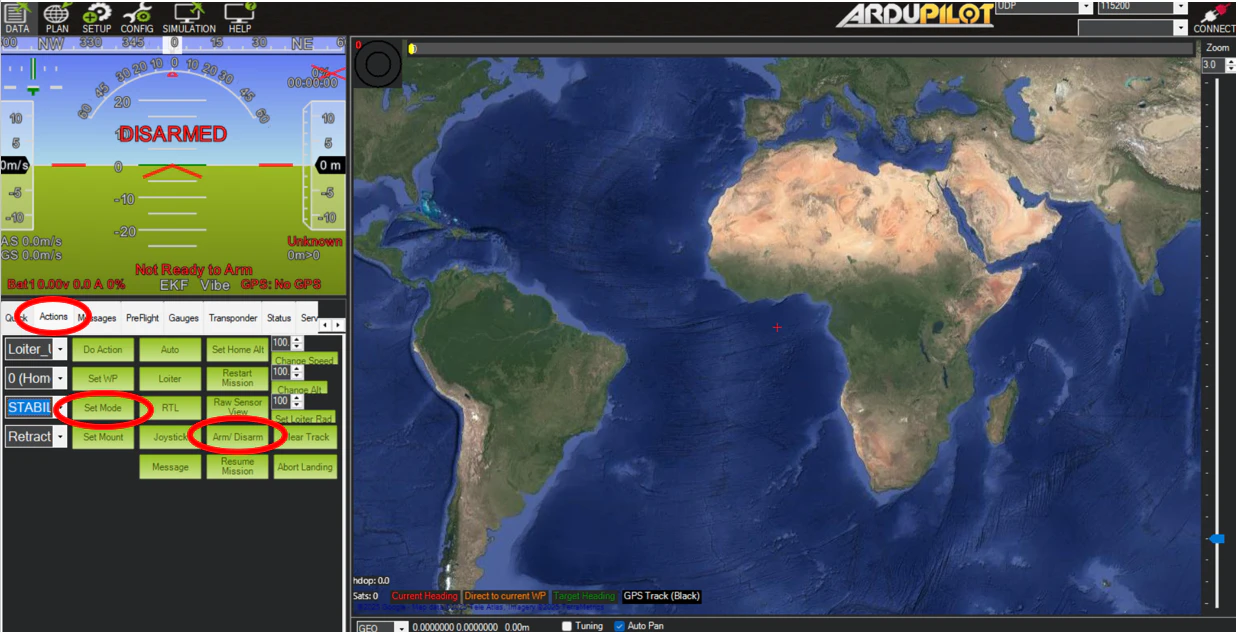
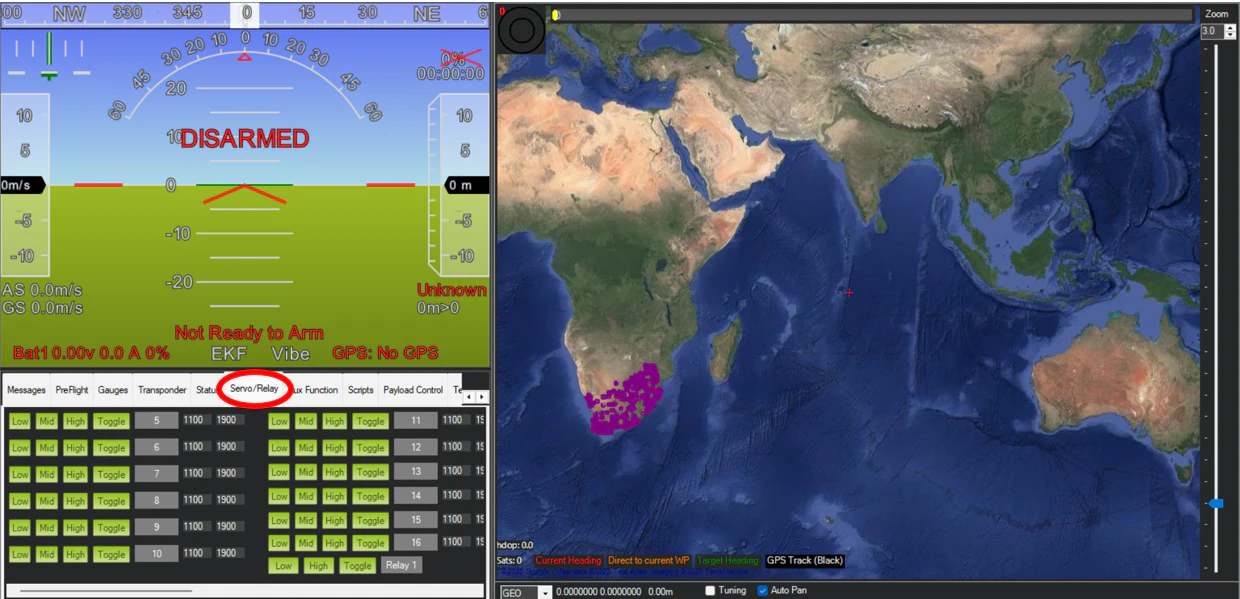
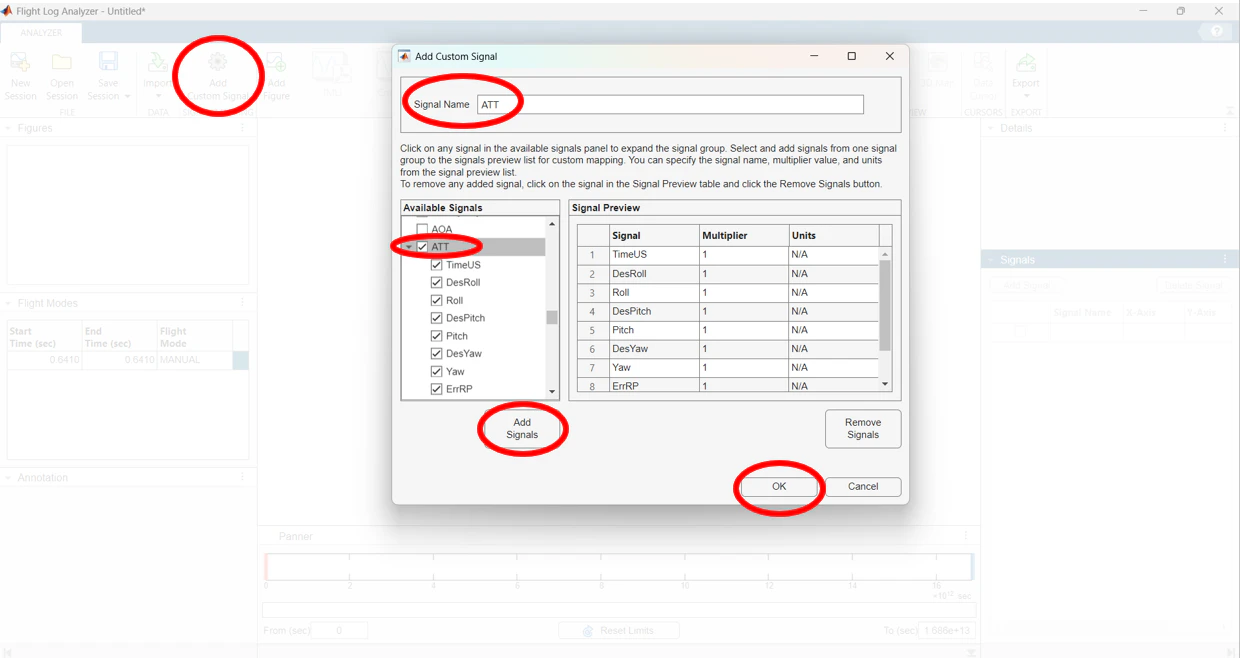
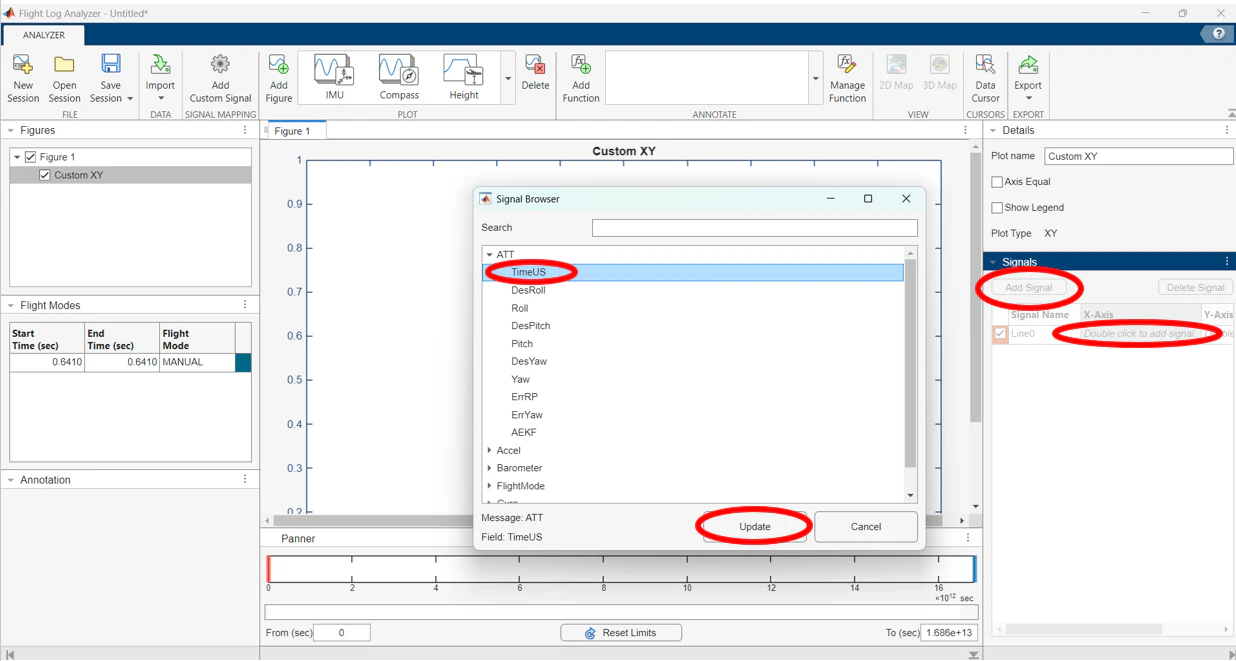
Before writing a ground station, students need the Cube talking in Mission Planner: connect over USB or Wi-Fi UDP, turn the buzzer down so the Cube doesn't scream at you, toggle servo safety from the hidden Ctrl-F menu, arm from the Actions panel, and move servos by hand from the Servo/Relay panel. The red circles are mine.
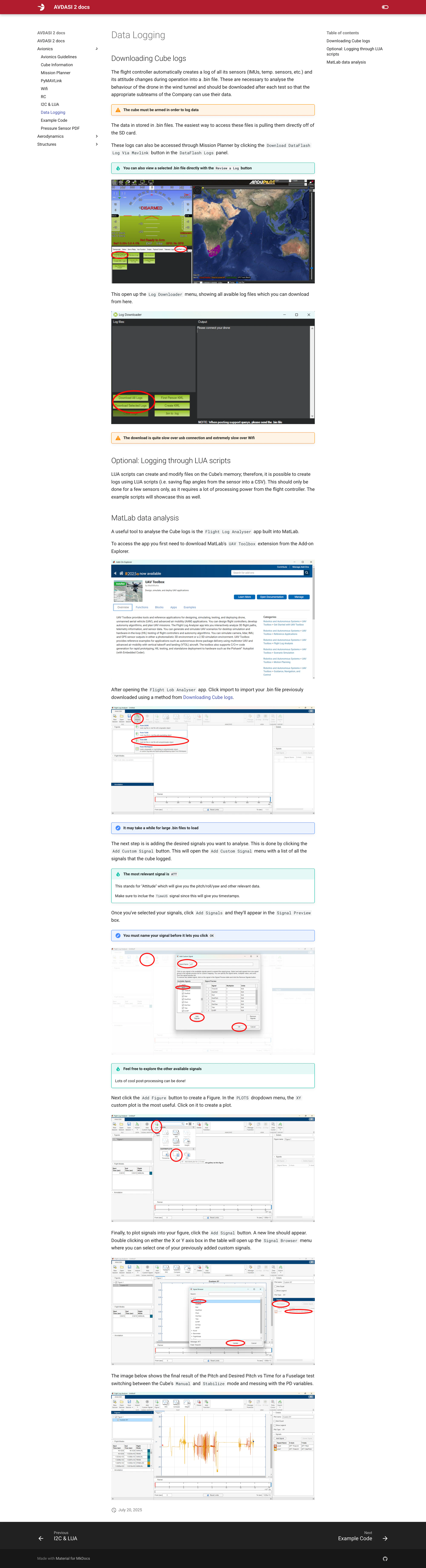
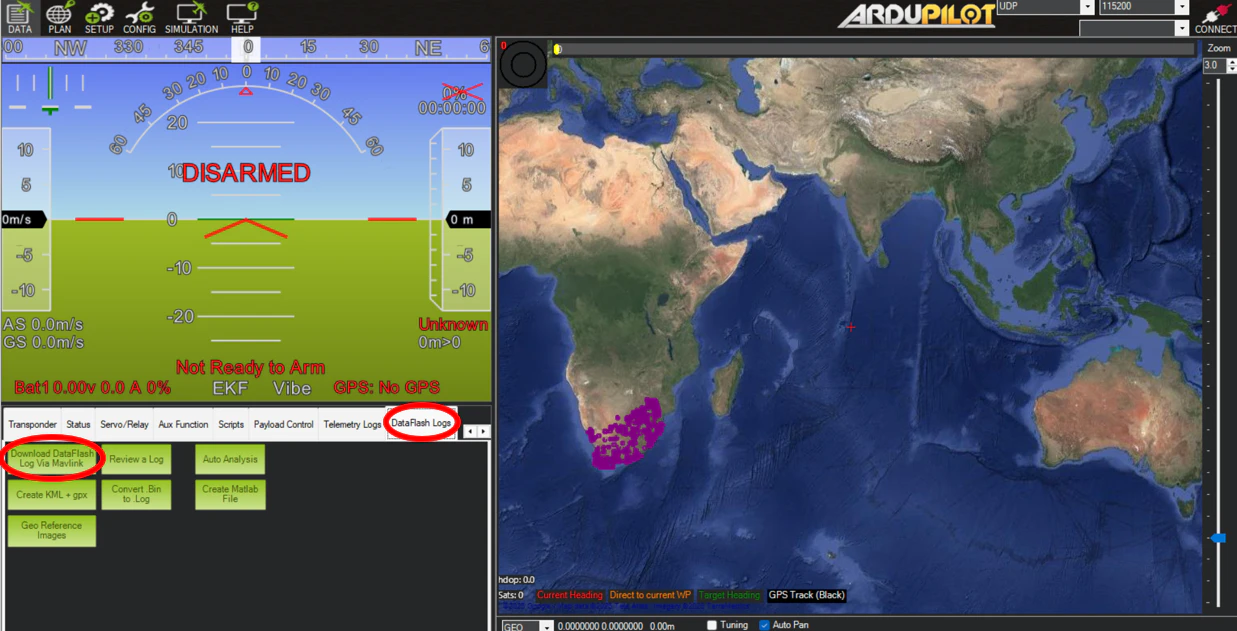
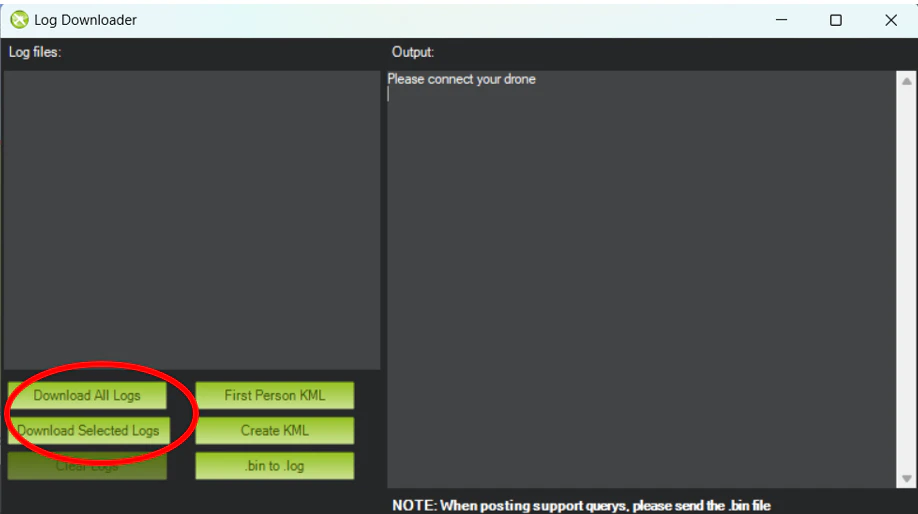
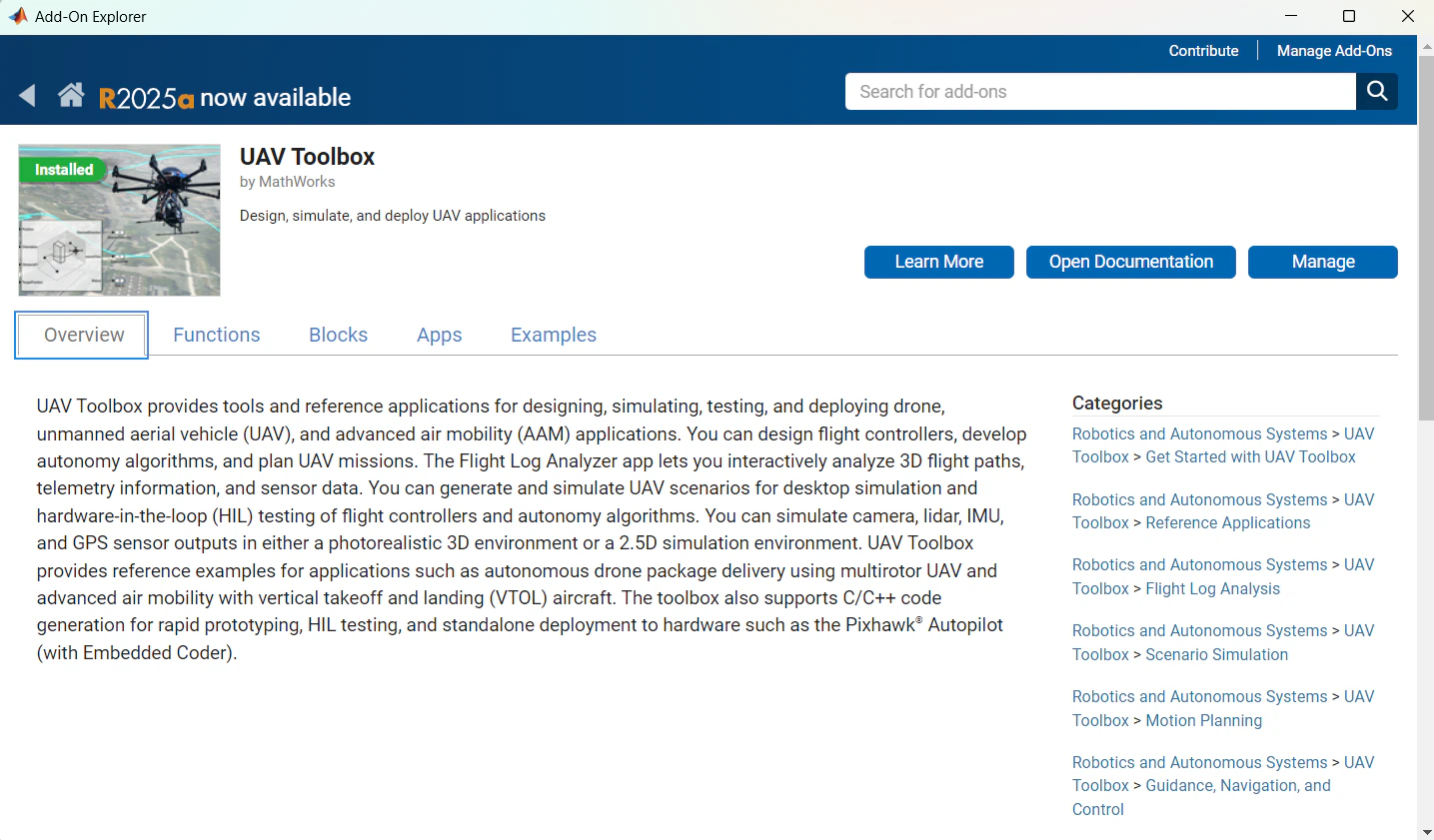
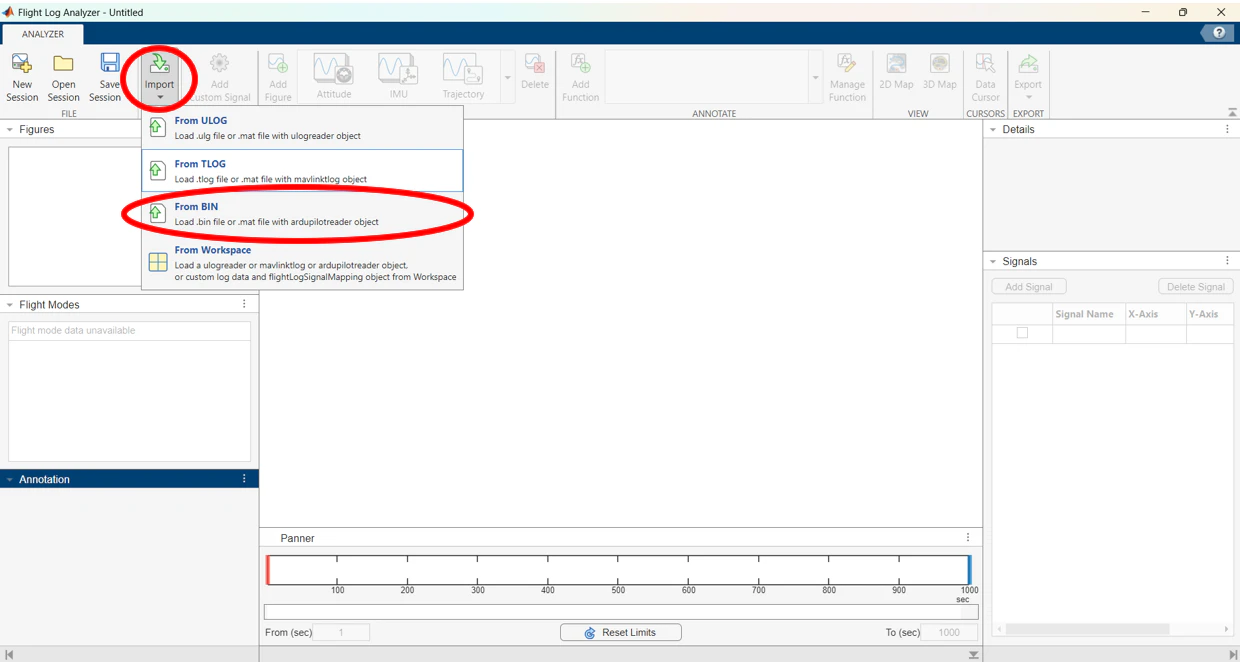
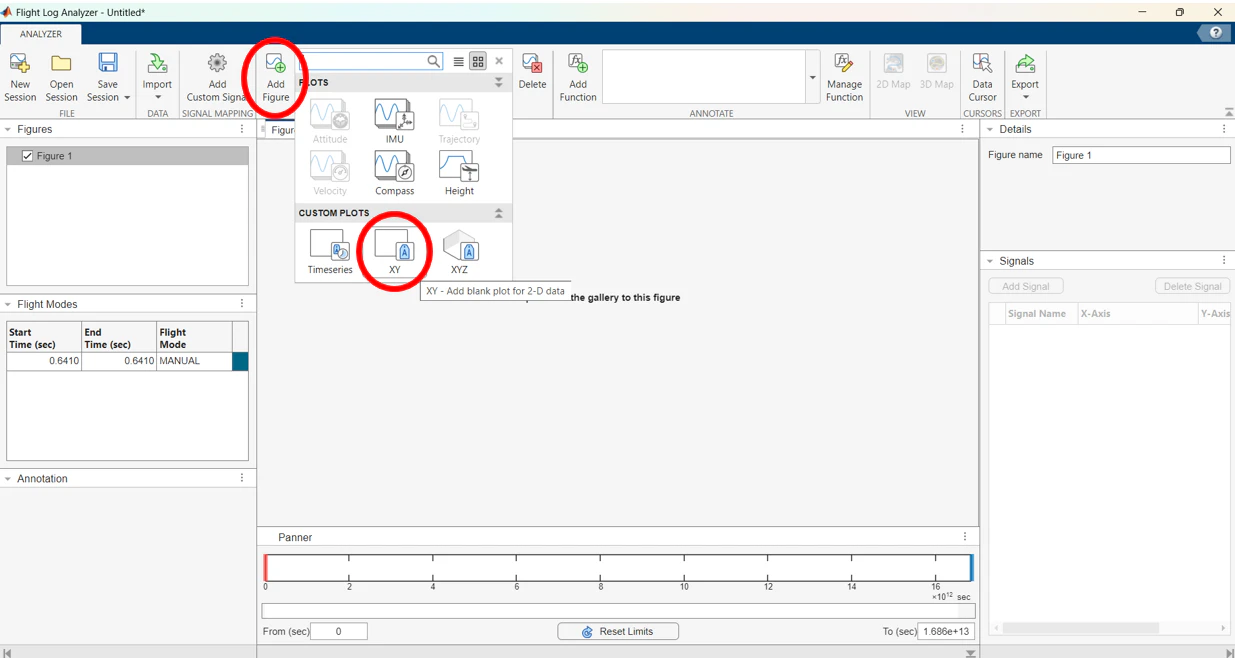
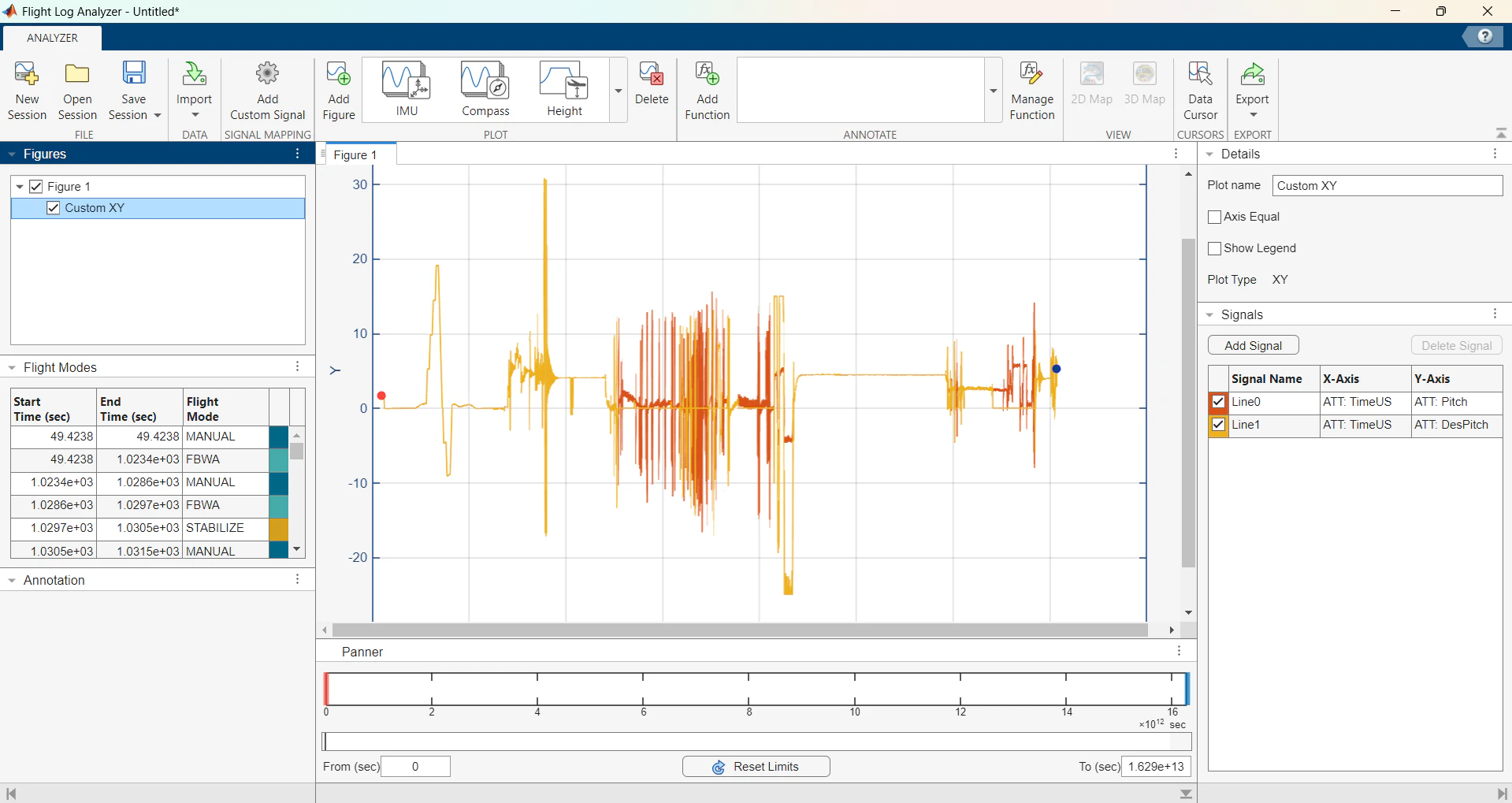
Data logging goes the other way: download the DataFlash .bin log over MAVLink, then walk it through MATLAB's UAV Toolbox Flight Log Analyser. The last capture is the one real data plot in the guide: pitch against desired pitch from a fuselage test, switching between Manual and Stabilize while tuning PD gains.
The ground station
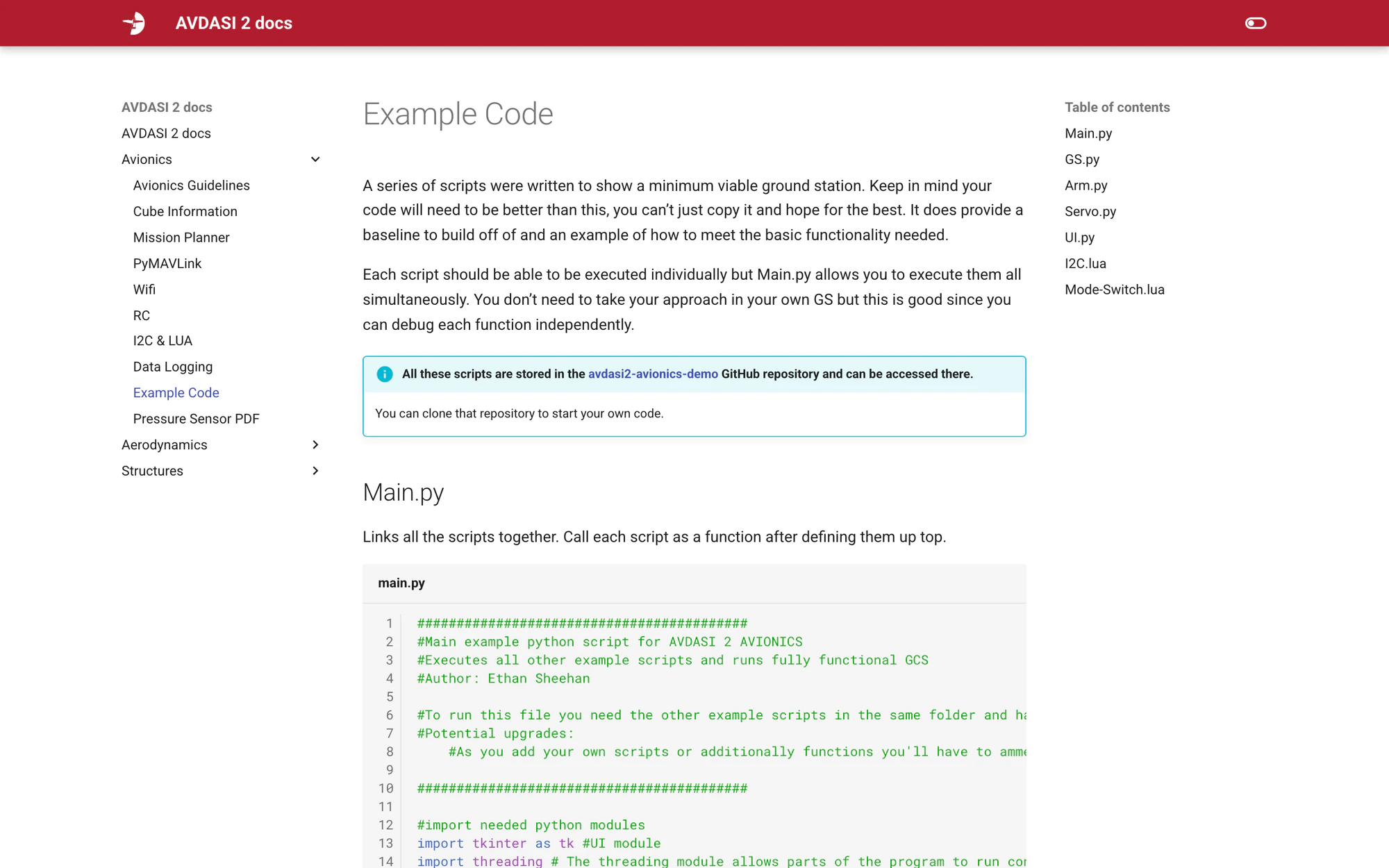
The example GCS is Python and pymavlink, written between 26 May and 8 June in five commits. GS connects on udp:0.0.0.0:14550, waits for the heartbeat, listens for SYS_STATUS and flags a lost link after two seconds. Arm handles arm, disarm and the safety switch. Servo, co-written with Lucas Dick, maps angle to PWM and writes the SERVOn parameters. UI is a tkinter panel, and main threads them together with the listener on a daemon thread. Deliberately minimum-viable, with potential upgrades listed in the header of each file, because the point is for students to replace it. Two placeholders, the flap and pressure sensor examples, were planned in May and never written.
What survived
I left in July. From 19 September Steve Bullock restructured the guide into a numbered step-by-step, and in November Tim W. and Sid Reid added the Lua, I2C and ADC content. Of the 123 commits in the AVDASI2 org, 41 are mine; the other 82 are Flight Lab staff after the handover. Four months later, at docs HEAD c64150d, the live site still runs on the July build: all 29 images byte-identical, extra.css with zero diff, the CI workflow one line different, the Example Code page 38 of 42 lines verbatim, and 225 of 696 lines of live prose still mine. That was the goal: build the scaffold well enough that the people who take it over keep it.
Paper trail
The plan from 12 May, the guide as a Word document before it was a website, the twelve-slide deck of raw Mission Planner and MATLAB captures that became the annotated screenshots, and the kit list and bill of materials each team is handed: two Cube Orange+, Wi-Fi chips, a Taranis, a BEC, test servos and the pressure system. Plan items 4 to 7, the flat-board demonstration, mechanical demonstrators and the servo-calibration tool, have no trace in these sources.
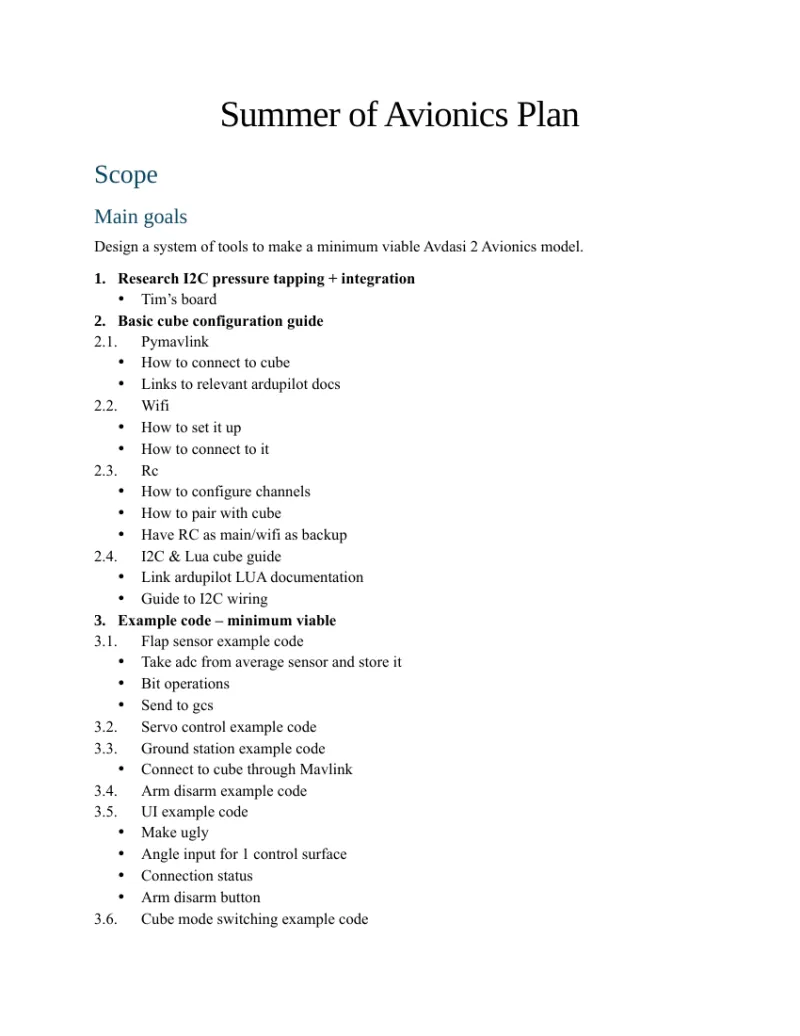 Summer of Avionics planSummer of Avionics plan: scope, goals 1 to 7, schedule 12 May to 23 Jun. 12 May 2025.2 pp
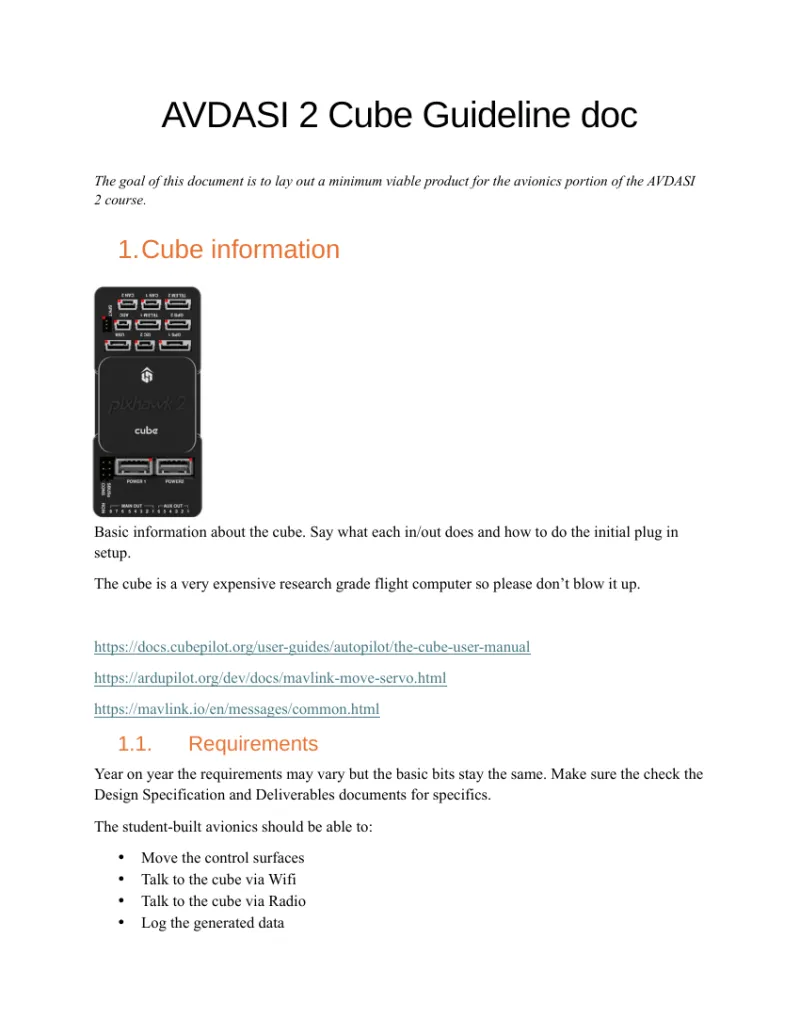 AVDASI2 Cube guideline, Word draftThe guide before it was a website. Every section heading of the July site is already here. 12 to 24 May 2025.8 pp
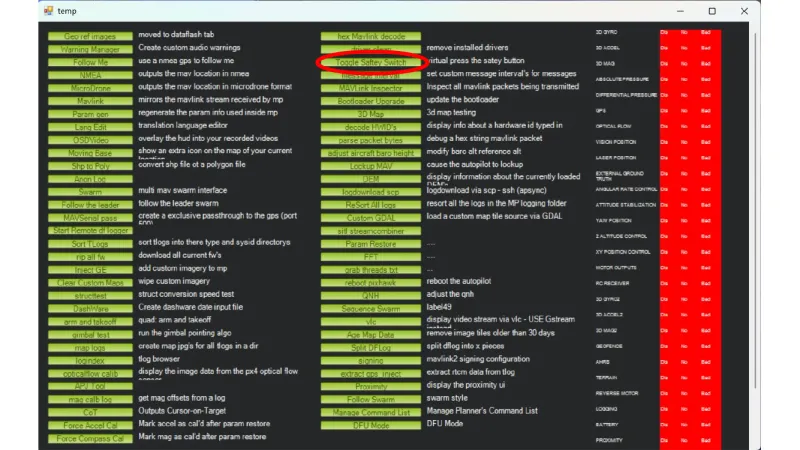 Mission Planner walkthrough deckMission Planner walkthrough deck: the un-annotated originals of the guide screenshots. 5 to 8 Jun 2025.12 pp
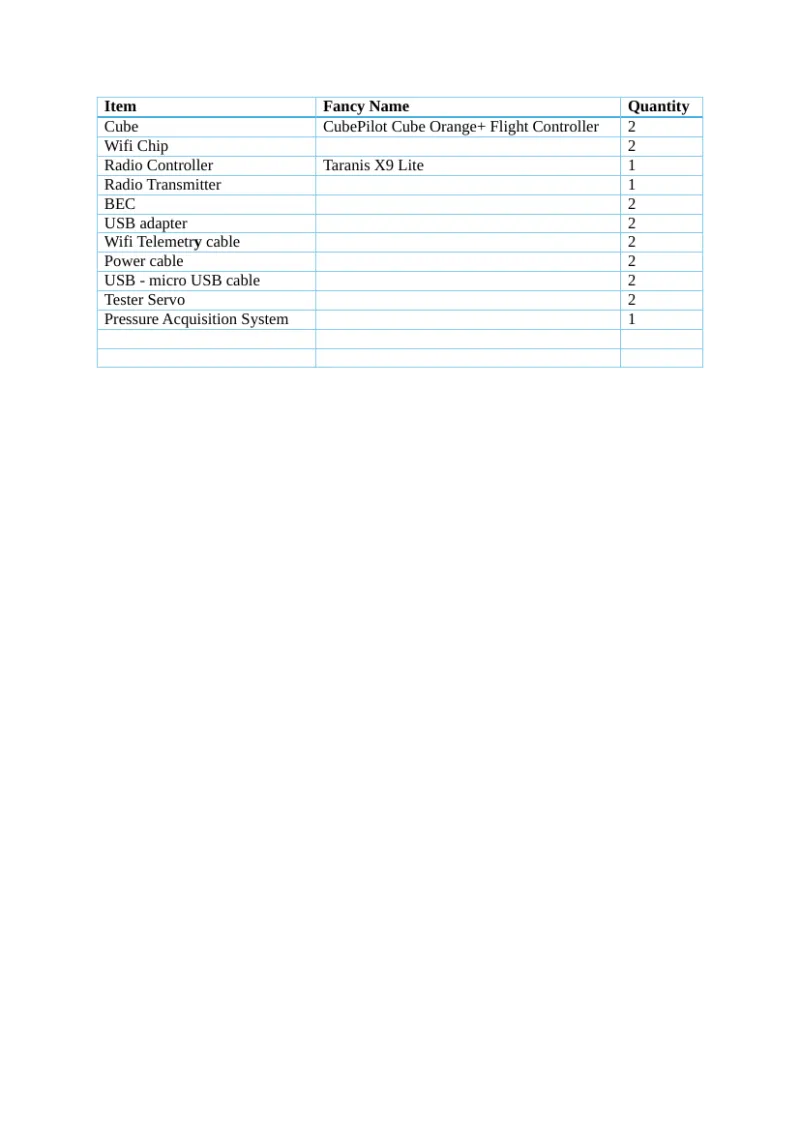 Avionics starting inventoryStarting inventory: 2 Cube Orange+, Wi-Fi chips, Taranis, BEC, test servos, pressure system. 9 Jun 2025.1 pp
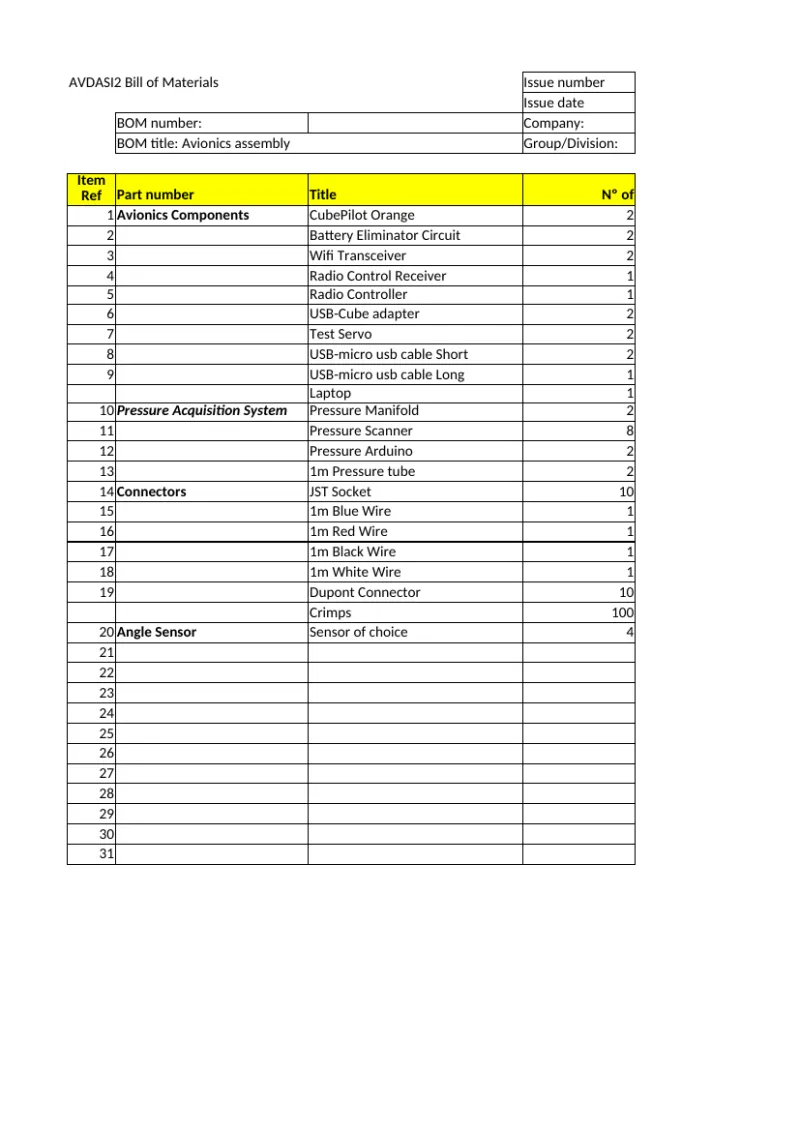 Avionics bill of materialsPer-team avionics bill of materials. 24 Jun 2025.2 pp